Learn to fly an RC Helicopter in every orientation.
HeliSense is an orientation trainer and flight simulator for RC helicopter pilots — from a tail-in hover to full inverted 3D. Build the muscle memory in five-minute sessions on your iPhone, or fly immersive scenes on your Mac.

iPhone · iPad · Mac • Universal Purchase • iOS 26 / macOS 26 • 13 languages
Free-flight Simulator, running on macOS.
Orientation Trainer
Isolate one orientation, or one axis, and build the muscle memory to fly the helicopter back to where it started.
Flight Simulator
Fly photoreal scenes with real-world physics, right down to autorotation and overspeed.
Silhouette Recognition
Train your eye to read orientation from the shape alone — for low light and backlit conditions.
Orientation Trainer
One orientation at a time.
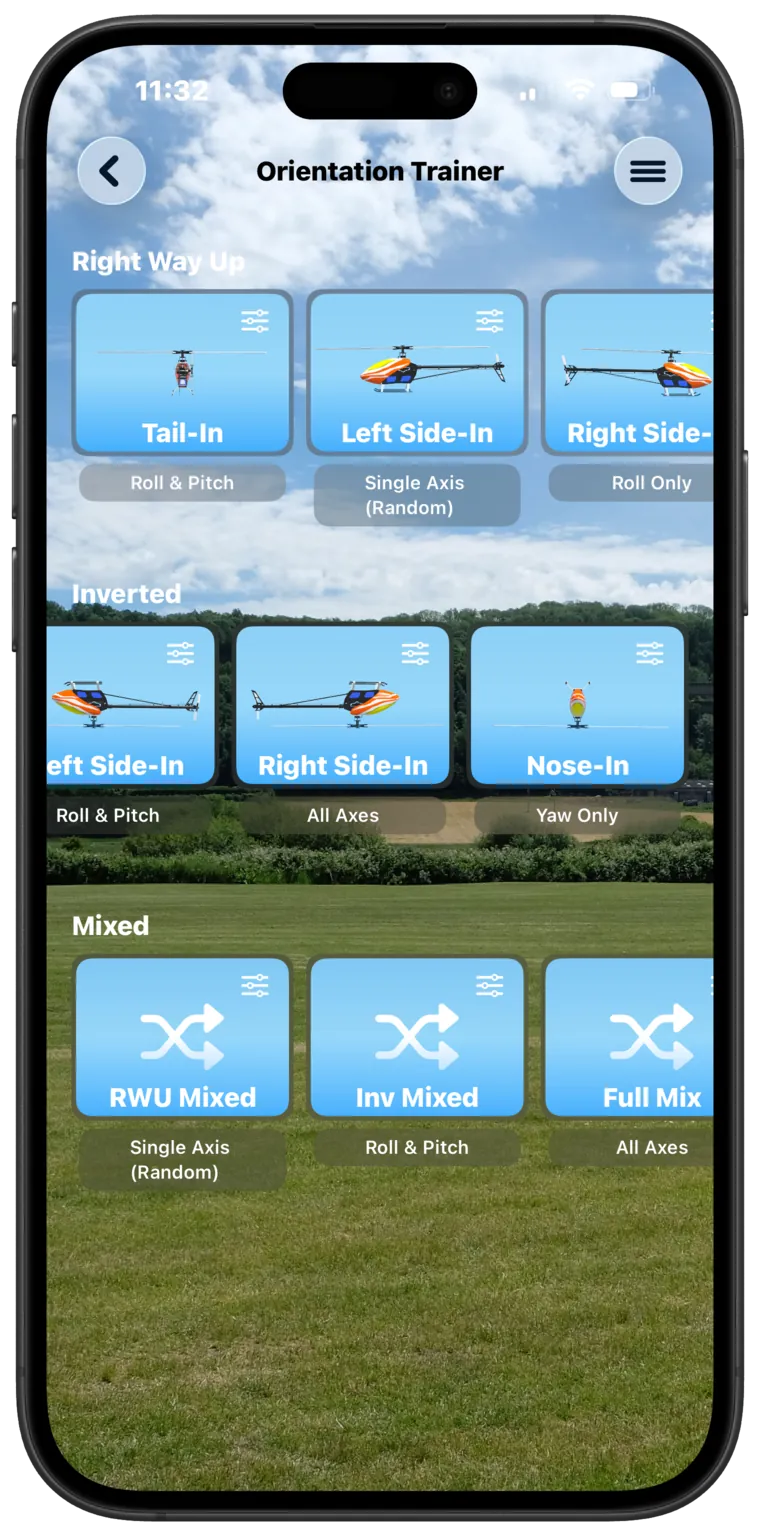
Flying in every orientation — inverted most of all — is one of the big milestones for any aspiring 3D pilot, and it takes serious, deliberate practice to build the muscle memory. So pick one: tail-in, nose-in, either side-in, right way up or inverted. HeliSense moves the helicopter to a starting orientation and you fly it back.
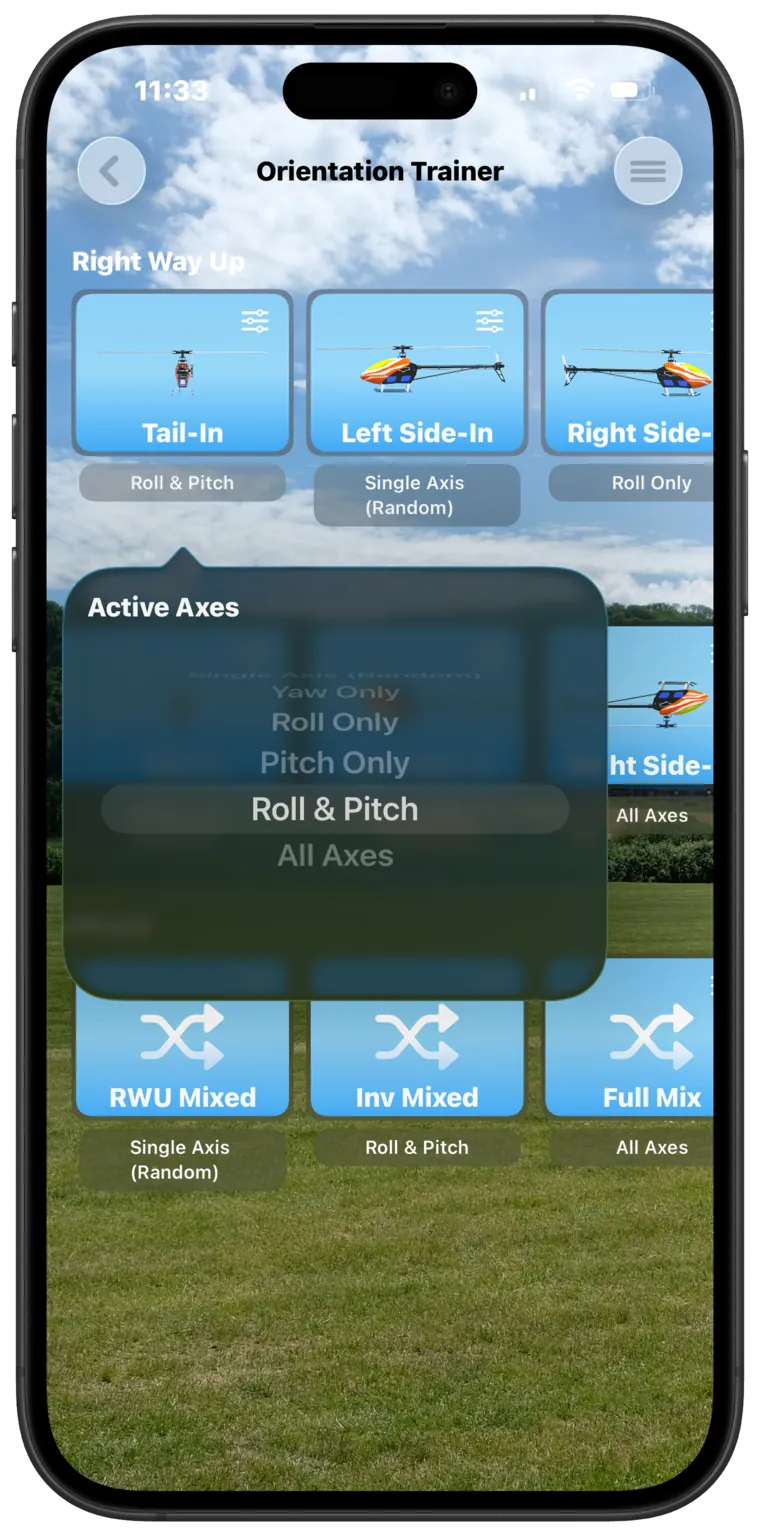
You choose which axes are active, so you can work a single one until it's second nature and layer in the rest as you progress — or take a randomised mix when you're ready.
- Tail-in, nose-in and both side-in orientations, right way up or inverted
- Yaw Only, Roll Only, Pitch Only, Roll & Pitch, All Axes, or Single Axis (Random)
- One orientation for a whole set, or a randomised mix
- Set the number of rounds — free sessions run to five
Guided practice
Helper arrows while it's still sinking in.
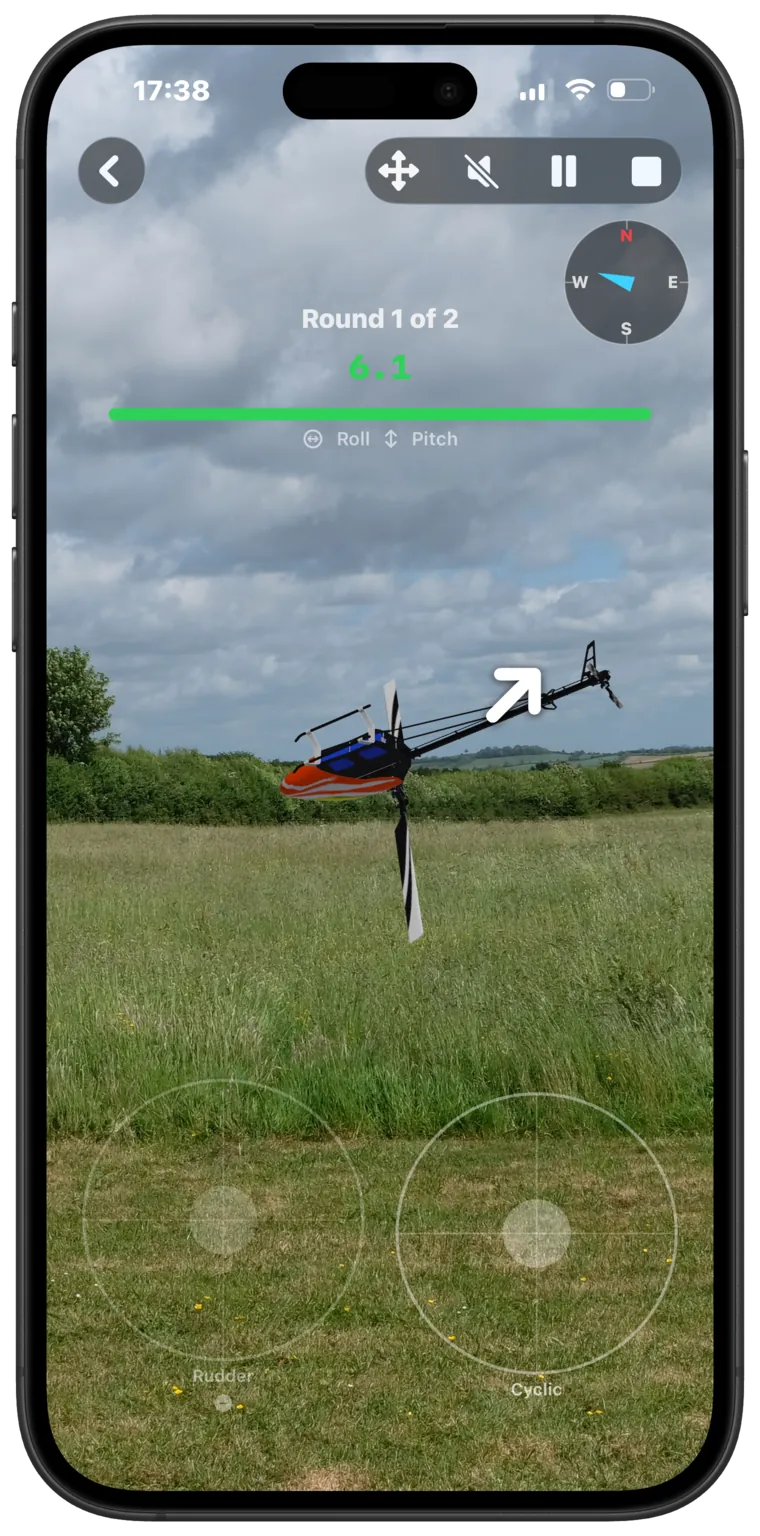
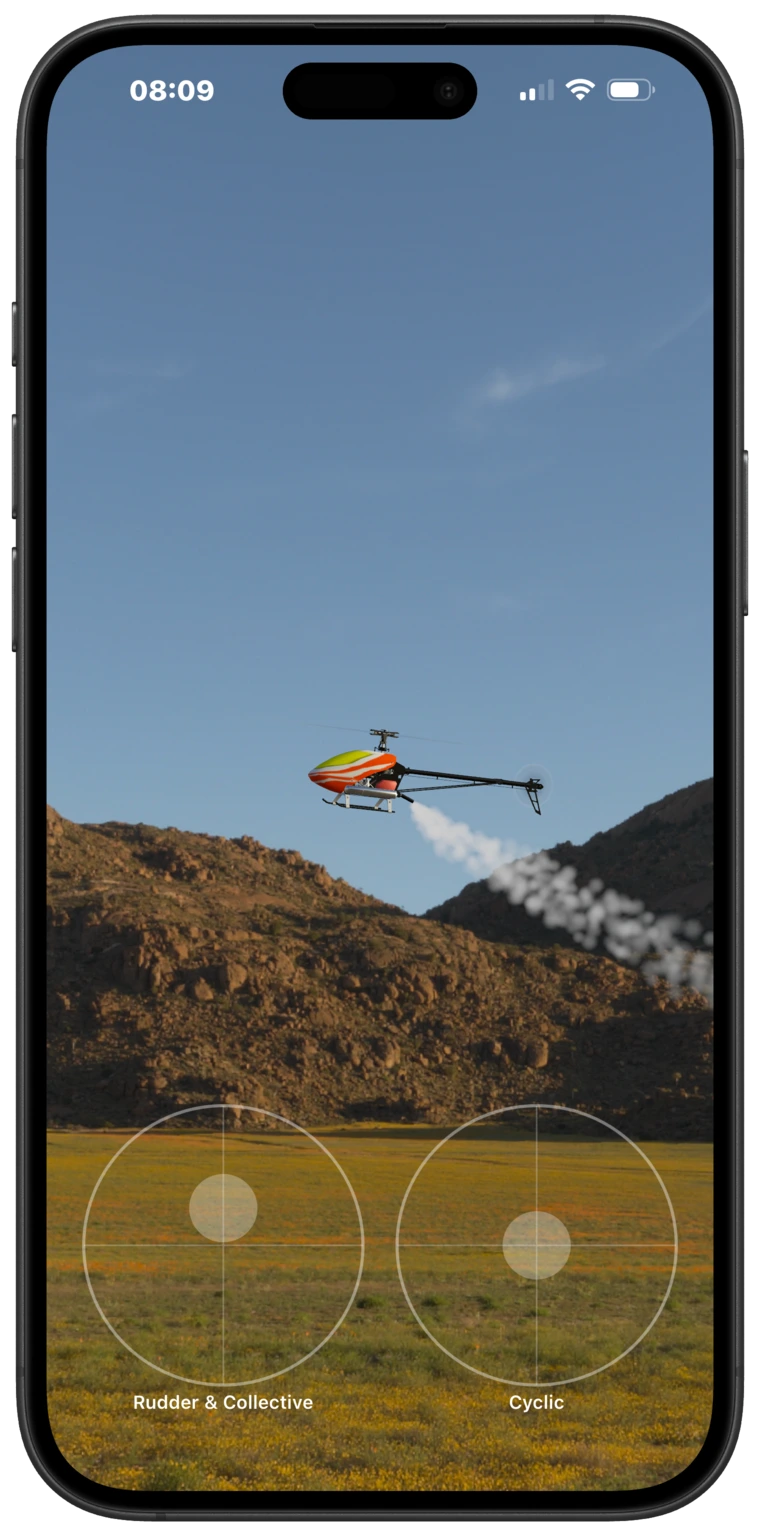
Fly with the touch controls or your own transmitter. Switch on the optional helper arrows and HeliSense shows which way to move each active stick to get back to the starting orientation, recalculated every frame. It's a learning scaffold for a new orientation, and more advanced pilots can simply turn it off.
Review
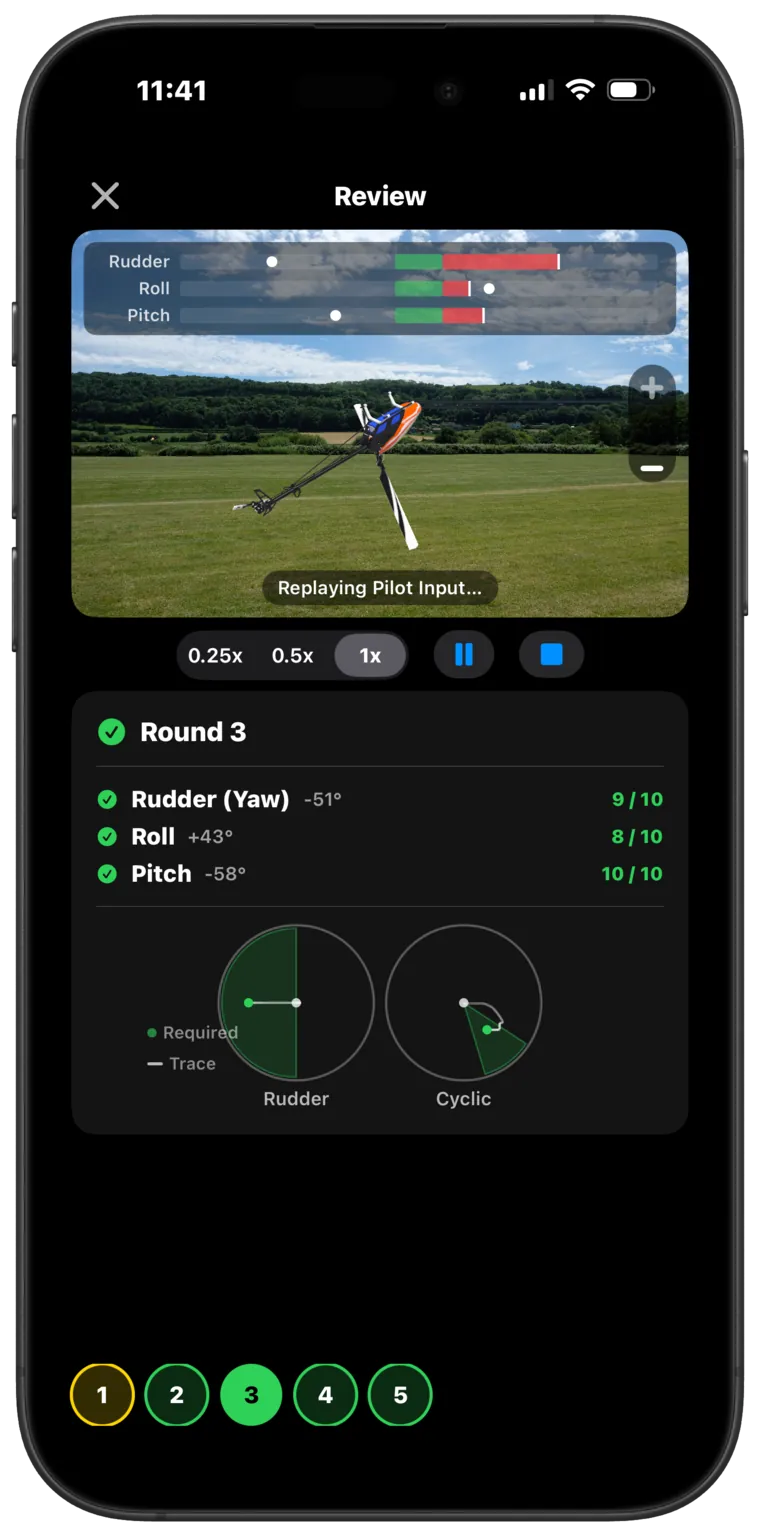
Replay the set and check the numbers.
After a set, replay the whole flight at ¼, ½ or full speed with a deviation gauge overlaid — your stick input against the target on every axis, per-axis accuracy scores, and live stick traces. Slowed down, it's usually obvious which axis let you down.
Simulator
Free flight is where HeliSense opens up.
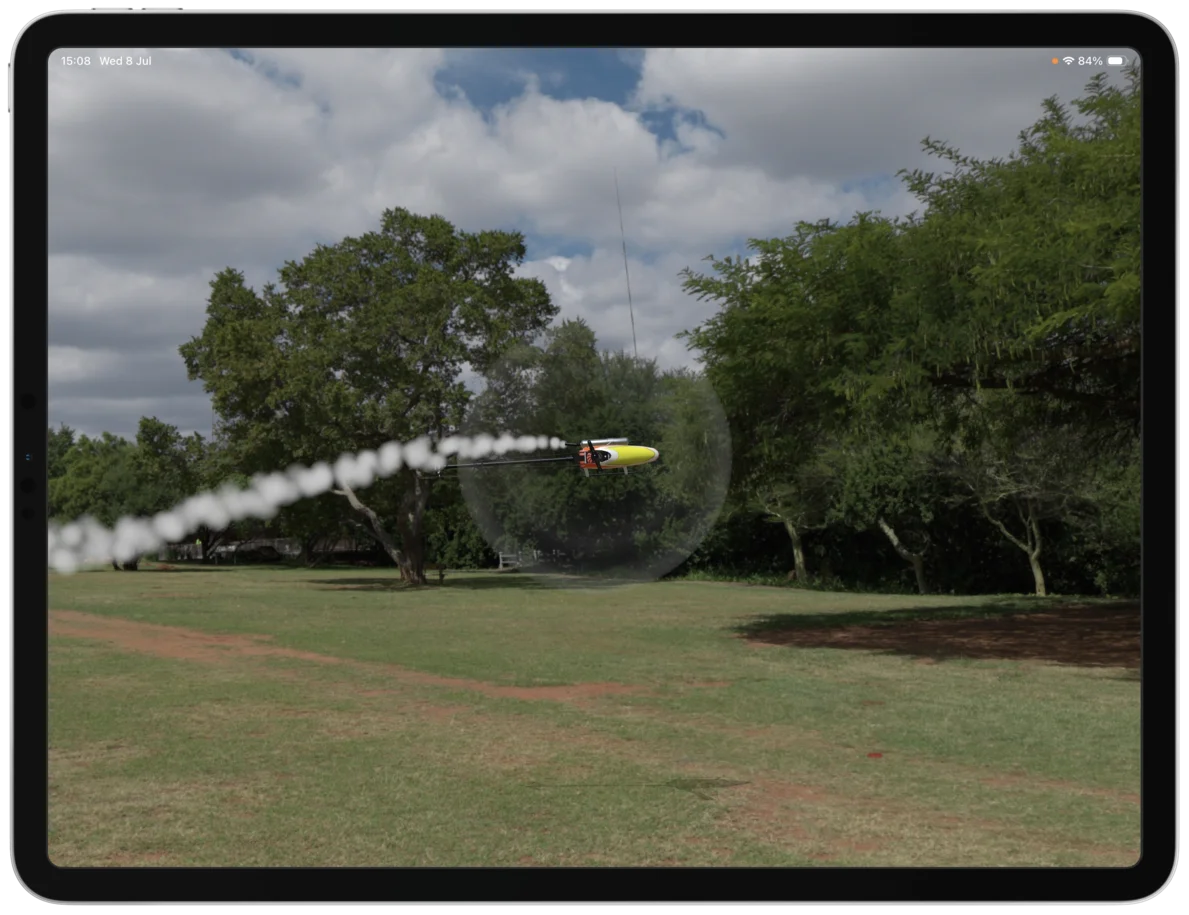
Immersive, photoreal scenes, and flight physics modelled on how a real helicopter actually flies — refined with feedback from national competition winners. Autorotation and overspeed are both in there, along with engine and rotor sound, and camera settings you can set up to frame the view how you want it.
Start on the Beginner tuning preset and just fly. Sport and 3D are there when you want to push further, and underneath them you can dial in maximum pitch, headspeed, agility, control response and expo — none of which you need to touch to get going.
Free flight
The whole scene to fly in, with realistic physics and solid scenery.
No-collective
Holds the helicopter around a fixed point, so you can work on piro-flips without chasing it across the sky.
Minedump Flats and Pretoria Gardens, two of the scenes in the box, are modelled with comprehensive collision objects — you can fly behind the trees and the scenery, and you can hit them, with the consequences you'd expect. New scenes are built the same way.
Controllers
Fly with your own radio.
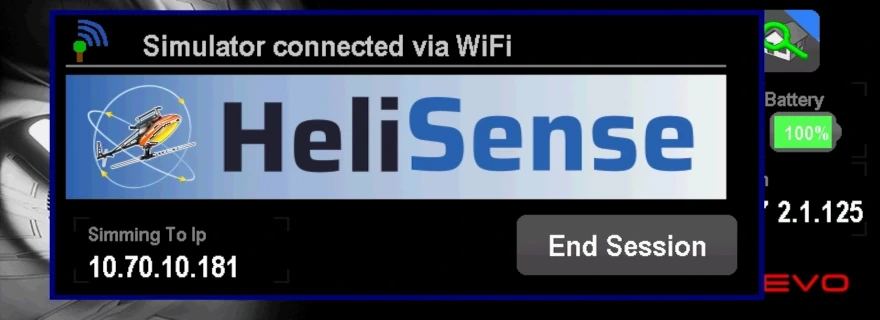
HeliSense takes its input from RC transmitters and Bluetooth game controllers, so you can practise on the same setup you fly with — like the VBar Control connected over Wi-Fi, shown here.
Connect a transmitter over Wi-Fi or ExpressLRS, pair a Bluetooth controller, or use the touch controls — plus USB transmitters on Mac. See compatibility per platform →
Fly with other pilots.
Share a scene with up to eight pilots and fly together — show off what you can do, or watch and learn from someone better than you.
Demo room
A public room anyone can drop into. Good for a first look, or for finding someone to fly with.
Private rooms
Open a room, share the code, and fly with your own club or your mates.
Requires the Simulator or Pro purchase, and an internet connection. You pick a display name that the other pilots see. There's no voice or text chat in HeliSense — talk over whatever you already use. How online flying handles your data →
Make it yours
Fly your own field.
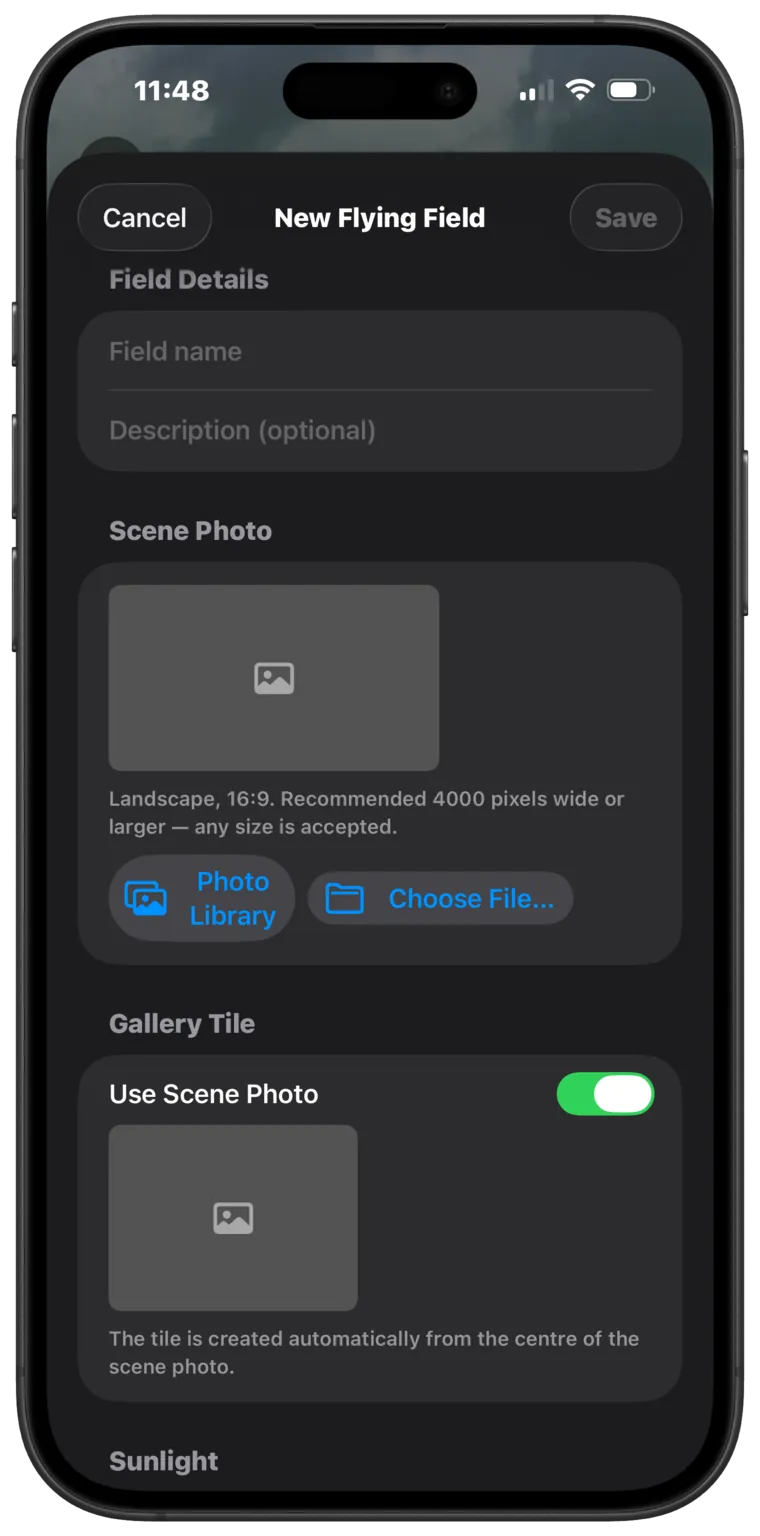
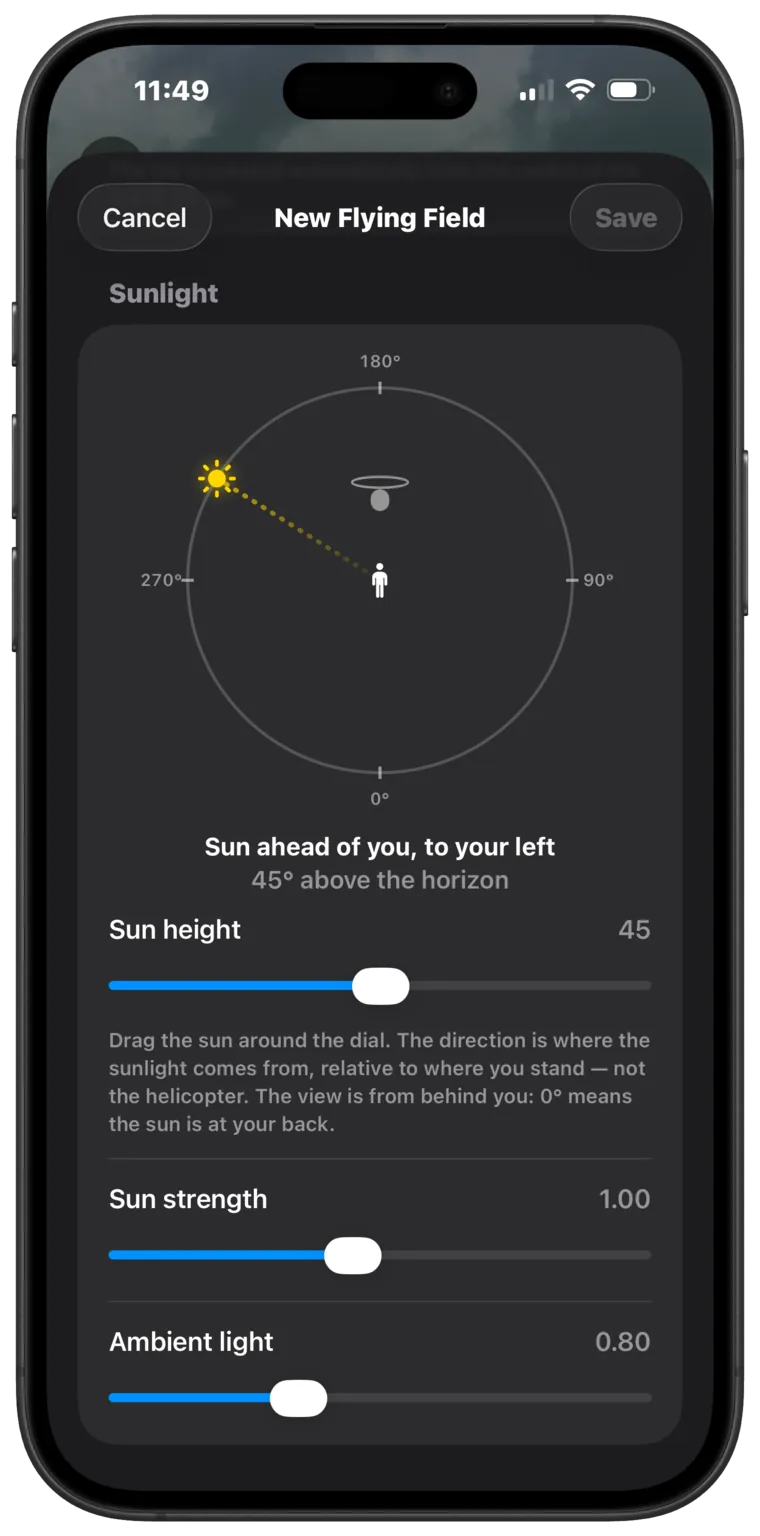
Drop in a photo of your own flying site and HeliSense turns it into a background. Set where the sun sits — its direction, height and strength — so the light on the helicopter matches the shot. You end up practising against the view you actually fly against.
Custom backgrounds work in the Orientation Trainer and the no-collective Simulator — the modes that pivot around a fixed point. Full free flight uses the 3D Skybox Scenes instead.
Scenery
More scenery, in higher resolution.
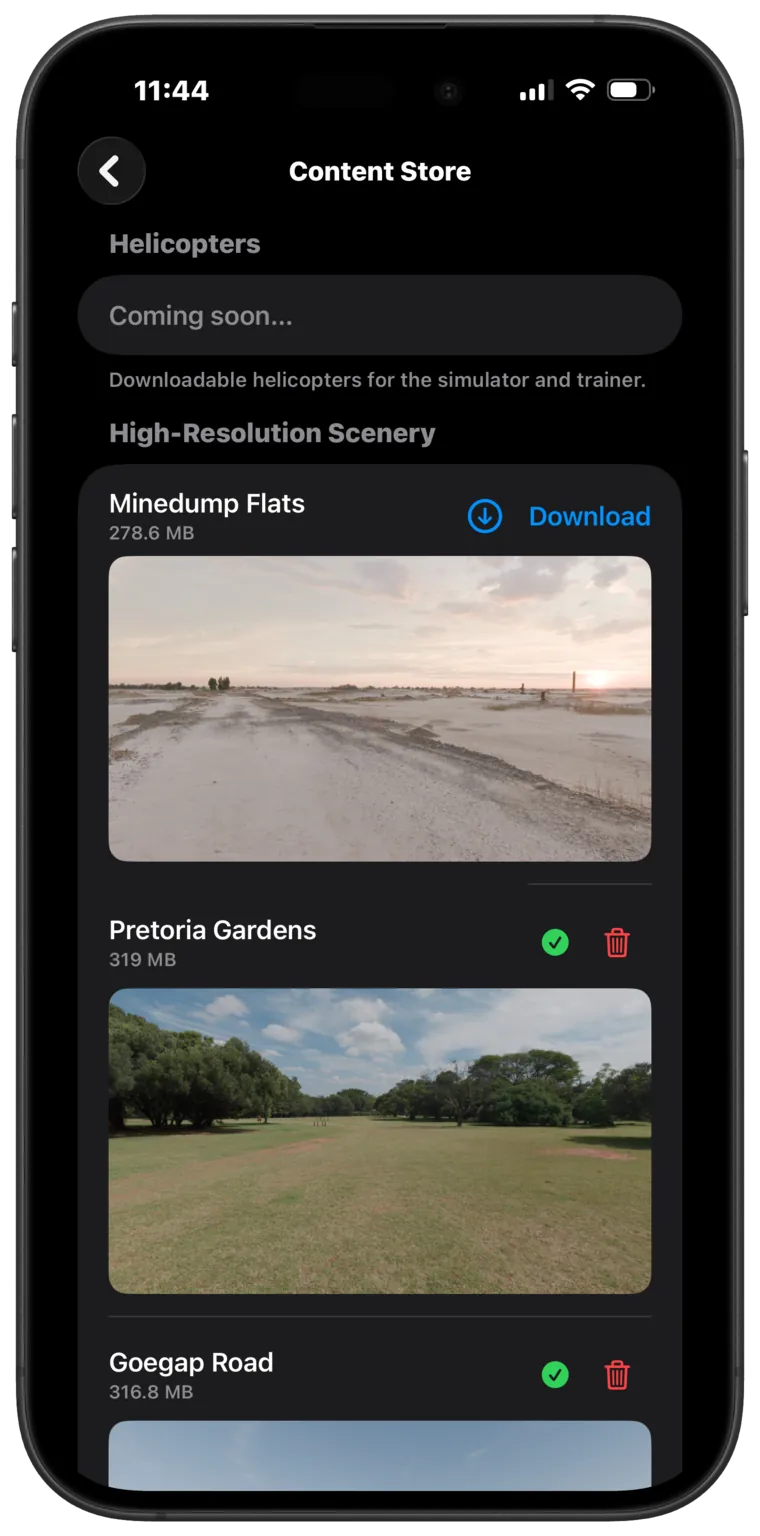
HeliSense ships with a set of scenes and Skyboxes. Want more? The Content Store adds high-resolution fields — up to 16K on Mac, and on iPhones and iPads with the memory to handle it. More helicopters are on the way, too.
In the box
Two helicopters included.
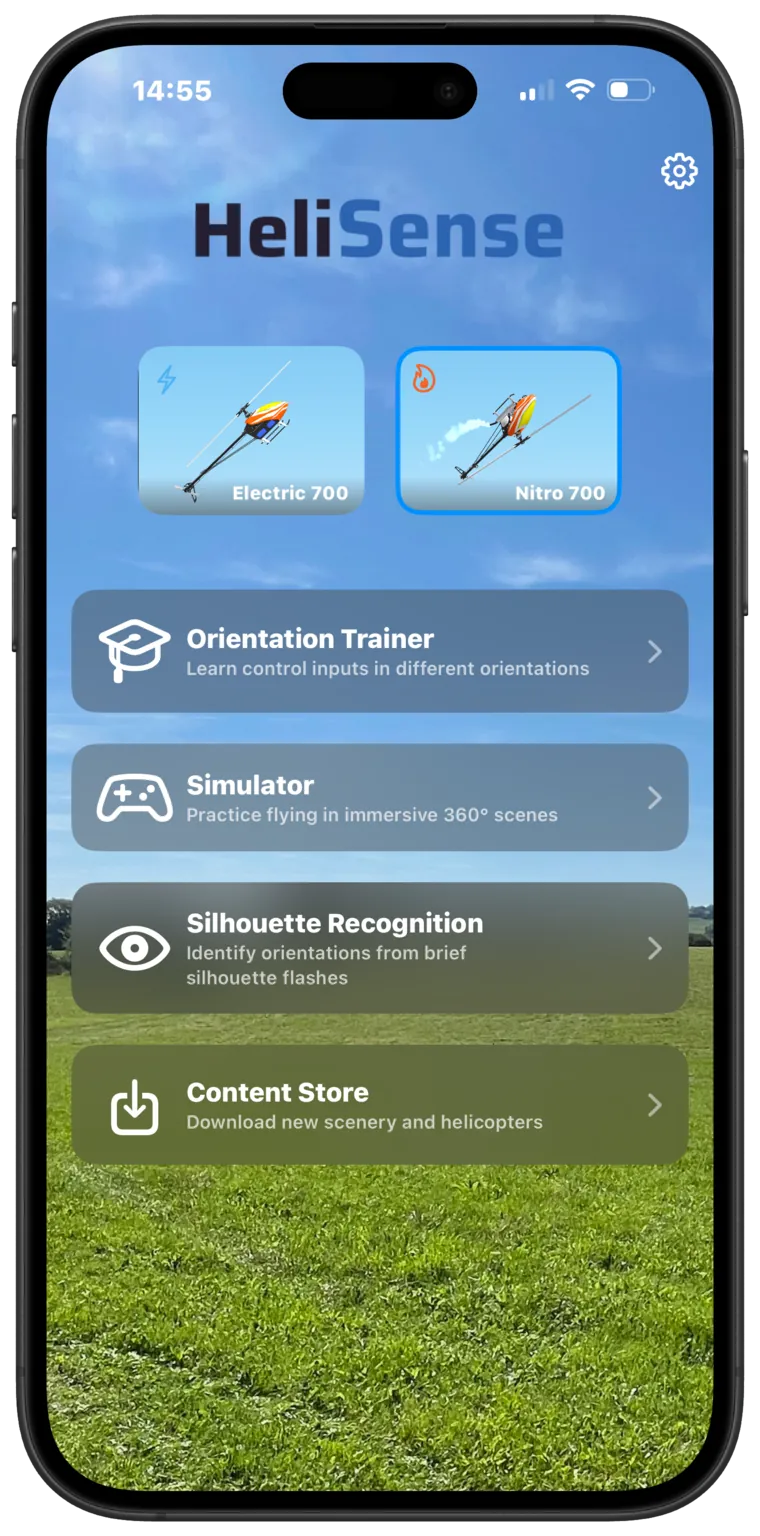
Every copy comes with two 700-size 3D machines — one electric, one nitro — so there's nothing to buy before you can fly. One purchase covers iPhone, iPad and Mac through Universal Purchase.
- Electric and nitro 700-size models included
- One purchase, all your Apple devices
- More helicopters planned as downloads
Silhouette Recognition.
A helicopter's silhouette flashes up; you pick the correctly-oriented one. It's a supplementary training tool for reading orientation from the shape alone — which is what low light and backlit conditions leave you with, and harder than it sounds. Unlocks with either package.
Pricing
Free to try. One payment to remove the limits.
Every feature is free to use in short sessions — no limit on how long you can keep it free, just a cap on each sitting. Free flying runs in 2-minute Simulator sessions and 5-round Trainer sets, with a brief cooldown between. Unlock unlimited flying with a one-time purchase.
Trainer
One-time purchase
Unlimited Orientation Trainer, plus Silhouette Recognition.
Pro
One-time purchase
Everything — the Trainer and the Simulator together, at a saving over buying both.
Simulator
One-time purchase
Unlimited Simulator — both modes, all bundled scenes, plus online flying.
Launch pricing. One-time purchases, not subscriptions, shared across your devices with Universal Purchase. Some downloadable extras sit outside the free tier. For context, desktop pro sims run £40–100+. Out of the box, HeliSense gives you a comparable way to train orientation and log real stick time for a fraction of that — and keeps the entry price low by making the extras optional, so you only pay for the scenery and models you actually want.
Reviews from the App Store.
Pretty Awesome!
New to RC helicopters and recently purchased a Goosky S1. This simulator had me hovering my S1 with auto-leveling off very quickly. I have progressed even more in the simulator but haven't had a chance to test everything Ive learned in real life other than hovering and moving around with the tail towards me with auto-leveling off (manual). This is a HUGE help and gives me a lot of encouragement. Im using it with my iPad with M15 processor and an Xbox controller. Graphics are great, very smooth and realistic. Controller works well. Recommend to anyone wanting to learn to fly manual/3D mode.
ein Meilenstein
Wie aus dem Nichts ist HeliSense erschienen und löst ein Problem, von dem ich nicht wusste, dass ich es habe Nun kann ich unterwegs mit meinem ExpressLRS Sender und dem iPhone Heli fliegen üben. alles funktioniert auf Anhieb ich bin echt beeindruckt.
Translated from German A milestone HeliSense appeared out of nowhere and solves a problem I didn't know I had. Now I can practise flying helicopters on the go with my ExpressLRS transmitter and my iPhone. Everything worked first time — I'm really impressed.
INCREDIBLE!
I'm just getting back into rc helicopters and I sold my 600xn for a vbar touch. Same day this app came out… The Vbar touch connects flawlessly and it acts like the real deal. Tune the helicopter as you go and make it as your real one😎…
HeliSense is on the App Store.
Free to download for iPhone, iPad and Mac. Fly in short sessions for as long as you like, and pay once if you want to remove the limits.